
How it works
One job, from the driveway to the deposit
Every screen below is the real product, captured from a live account. Nothing is a mockup and nothing is staged.
The scenario
A homeowner's fence came down in a storm. Your estimator is standing in her driveway with a tablet. In most businesses this visit ends with “I'll work up a number and email it over,” and the number arrives two days later — by which point she has two other quotes.
Here is the same visit, finished before your rep gets back in the truck.
- 01In the truck
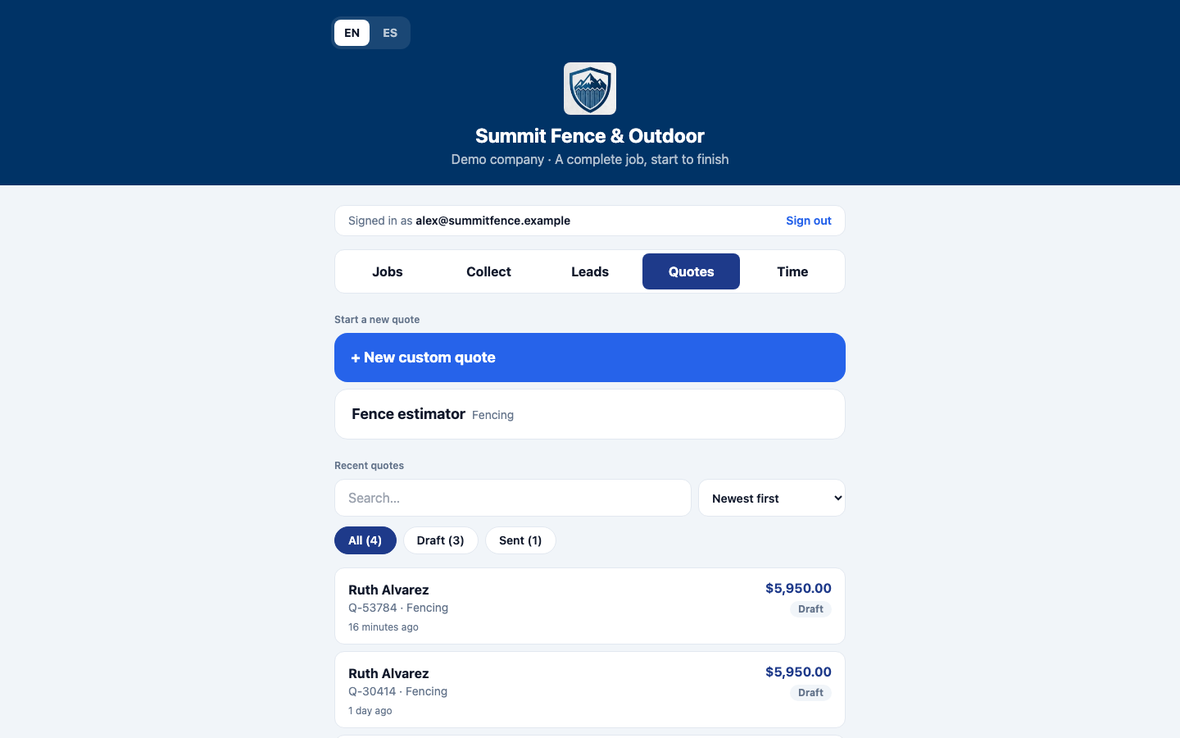
Your rep opens one screen, not five
Today's jobs, quotes, collecting money and time on the clock — in a browser on whatever device they already carry. No install, no laptop, no paperwork to bring back to the office.
What it provesNothing to hand out, nothing to lose.
- 02At the fence line
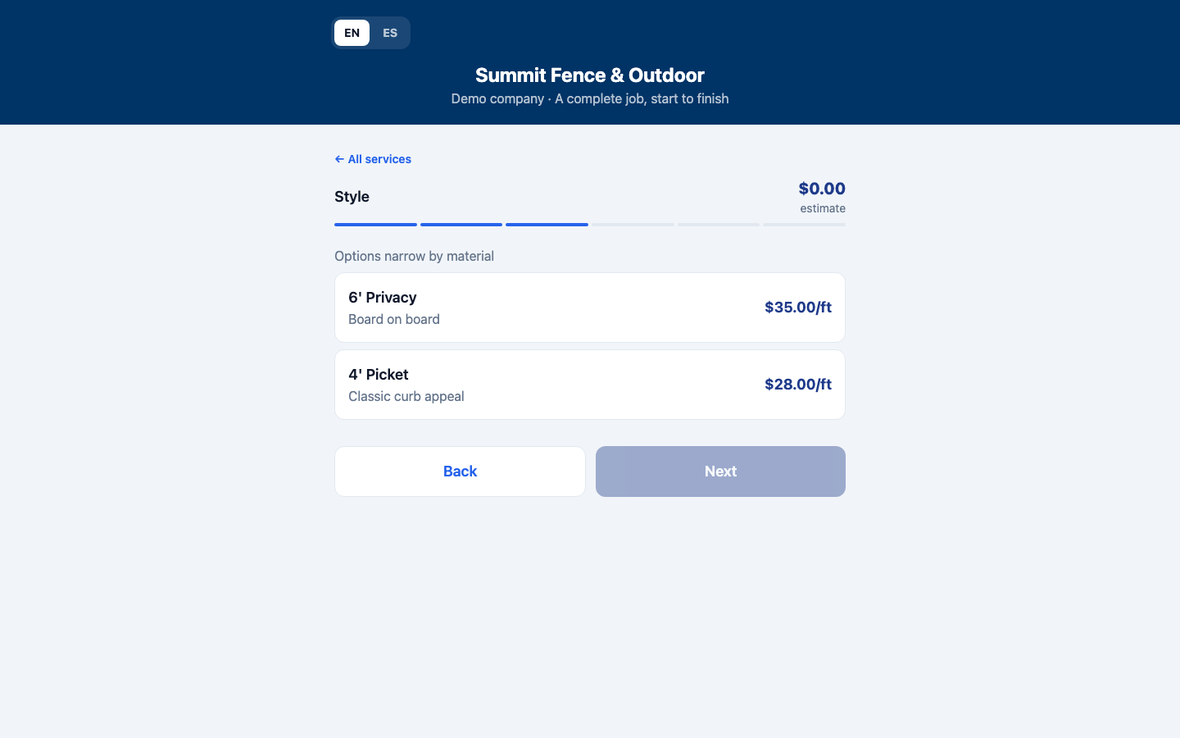
The estimate is built with the customer, not for her
Length, material, style, gates, extras. Because she chose wood, only wood styles appear — the vinyl and aluminium options are not greyed out, they are simply not there. Your rep cannot sell a combination your crew can't install, and neither can anyone you hire next month.
What it provesNew estimators price like your best one, on day one.
- 03Closing
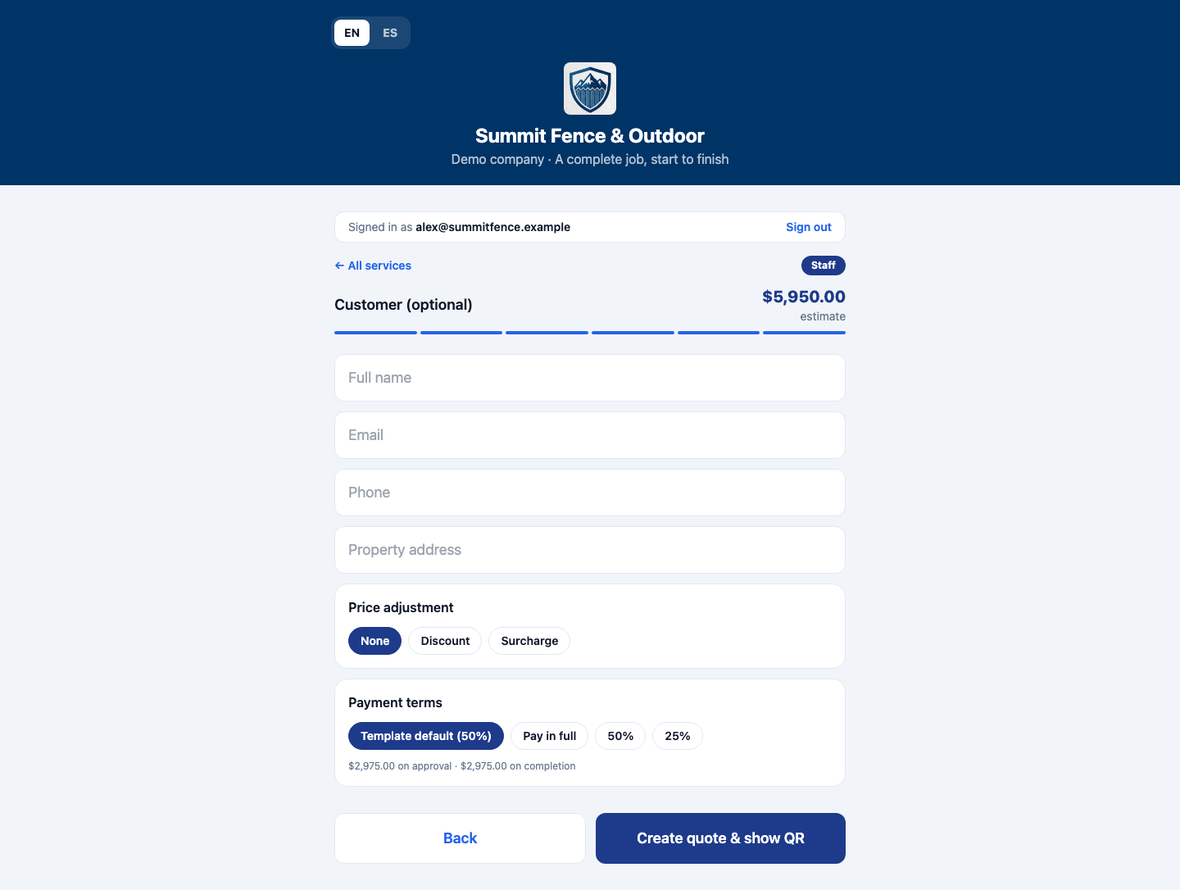
Your rep still gets to be a salesperson
A discount or a surcharge, applied on the spot. Payment terms overridden against the template default — pay in full, half now, a quarter down. Customers never see these controls. This is the difference between a price calculator and a quoting tool.
What it provesRoom to close, with a floor you set.
- 04The handover
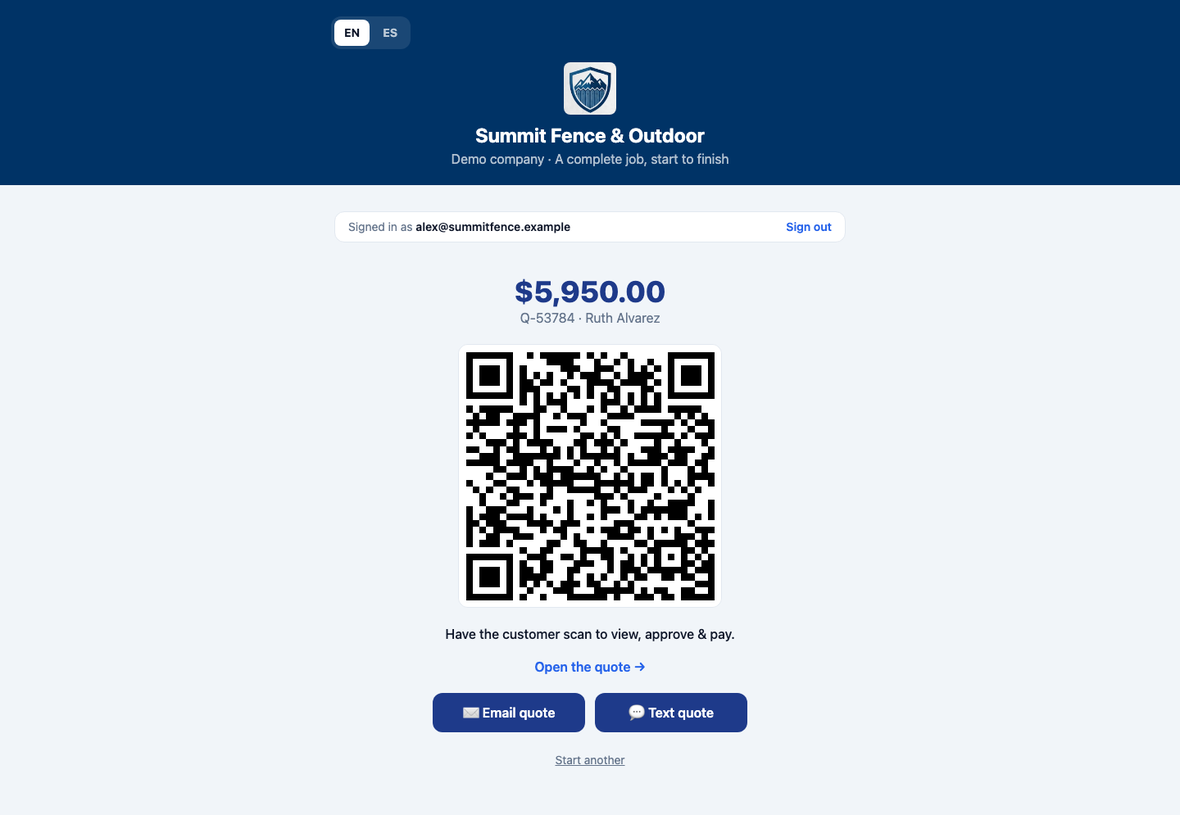
She scans it off the tablet, at the door
One tap produces the quote and a QR code. She scans it and the whole thing is on her phone before your rep leaves. If she would rather have it sent, the email and text buttons open your rep's own mail and messages app — so it arrives from a person she just met, not a no-reply address.
What it provesThe quote is in her hand while you're still standing there.
- 05On her phone
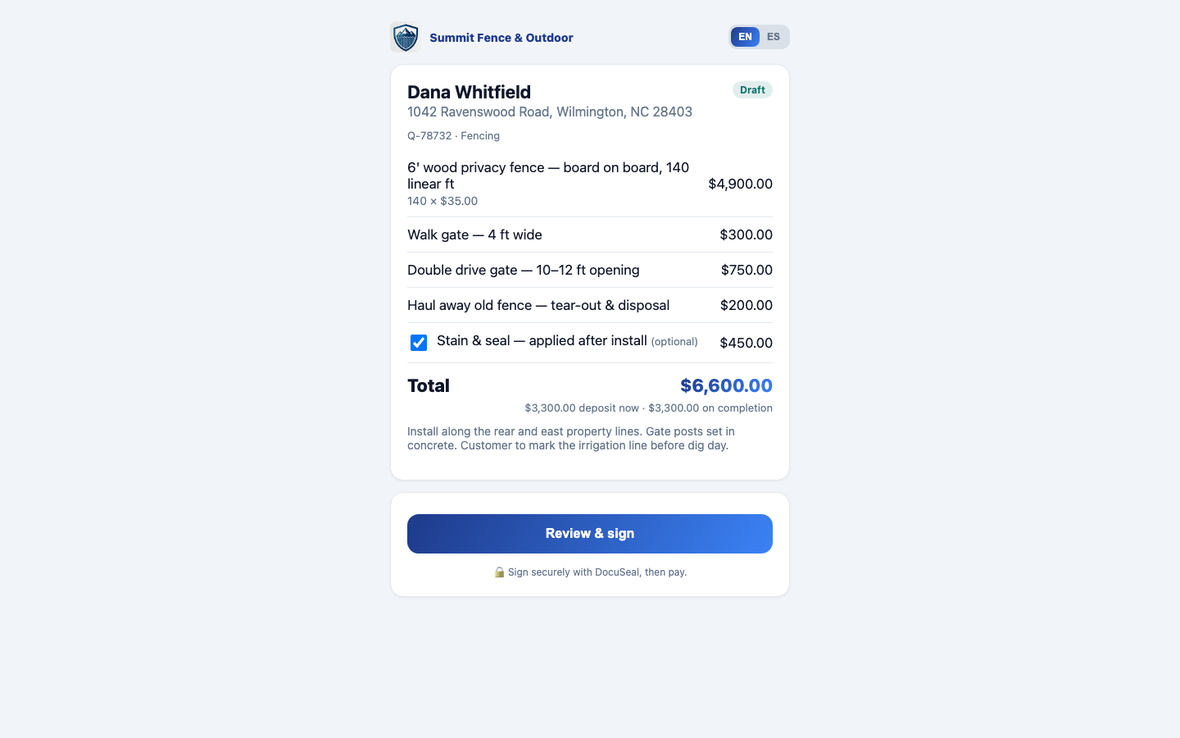
Everything on one link
Every line, the optional extra marked as optional, the total, and the terms spelled out — deposit now, balance on completion. She can untick the optional item and watch the total re-figure. No revised PDF, no second visit.
What it provesFewer revisions, faster yes.
- 06Your call
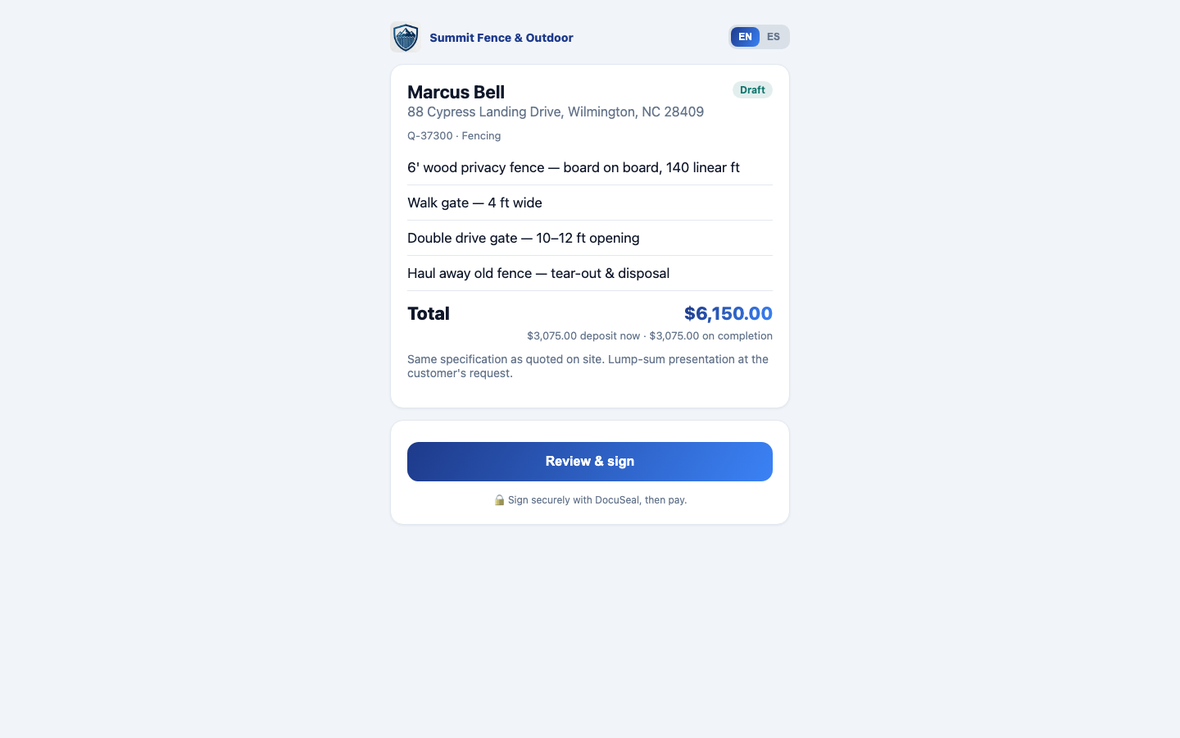
Or price the job as one number
The same specification, presented lump-sum. Every line is still listed, so she knows exactly what she is buying, but the prices come off and only the total is quoted. It's a switch — per company, per template, or per quote.
What it provesQuote the way your trade actually quotes.
- 07Signature
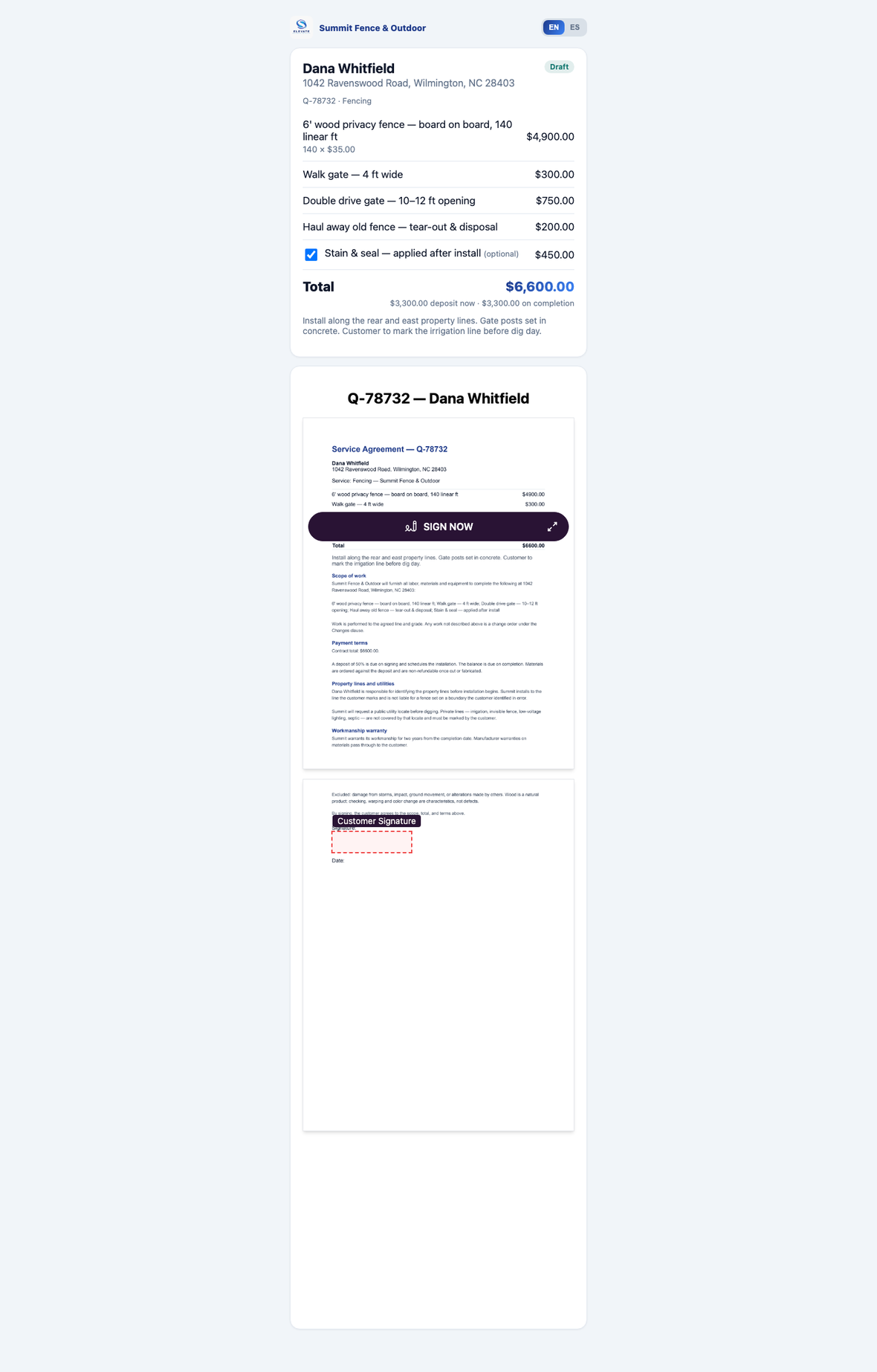
The contract assembles itself
Your scope of work, payment terms, property-line and utility clauses, workmanship warranty — written once, attached to the template, and pulled into every quote automatically. The figures fill from this deal, so the agreement can never disagree with the quote. She signs on her phone.
What it provesA signed, job-specific contract with nothing retyped.
- 08Her language, not yours
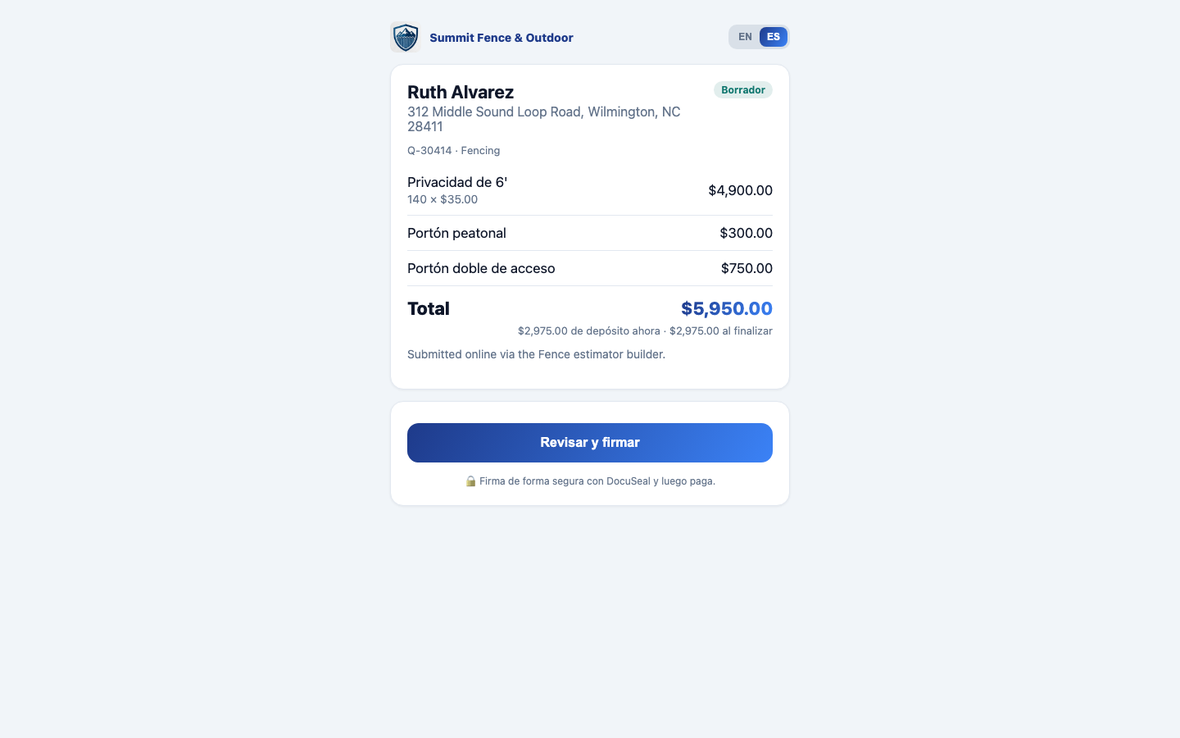
Your rep quotes in English. She reads it in Spanish.
The same quote, the same link, the same numbers — “Privacidad de 6'”, “Portón peatonal”, the deposit terms, all in the language the reader picked. Nobody maintains a second document and nobody translates anything by hand. Your estimator never has to be bilingual for your quote to be.
What it provesOne quote, read in whichever language wins the job.
- 09Back at the office
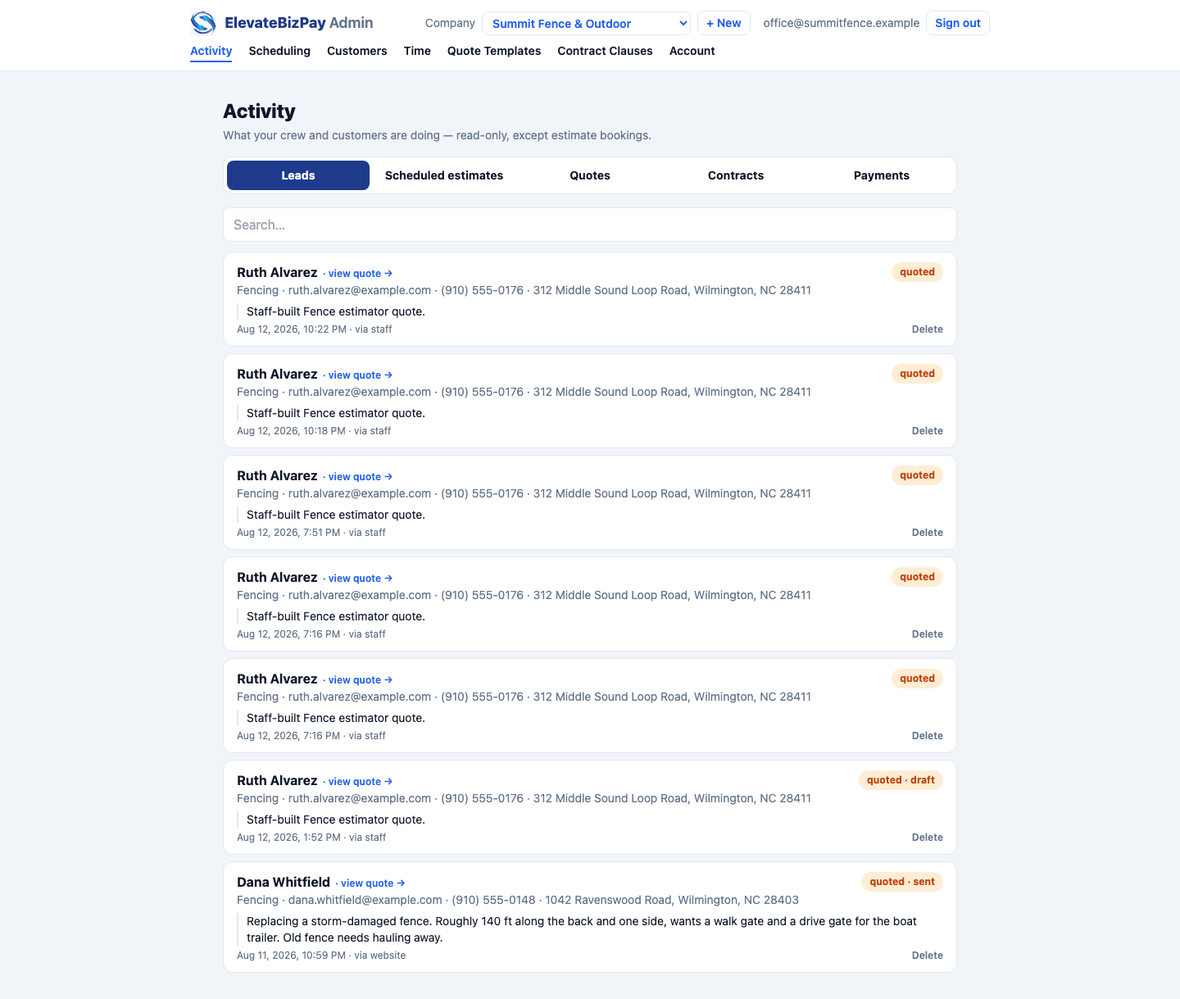
It is already in the system
The customer, the scope in her own words, the address, the quote and its status — with no one typing anything in. Whoever runs the office sees the job the moment it is sold.
What it provesNo evening data entry.


What just happened
One visit produced a priced quote, a signed contract and a deposit due on the spot, with no paperwork to bring back and nothing to chase. Your rep never wrote a number on a pad, and nobody in the office retyped anything.
Every price, clause and term on those screens belongs to you, and you edit all of it. When your material costs change, you change a number yourself — there is no ticket to raise and nobody to wait for.
Shown honestly
- The signature screen is real and live — this contract was generated by pressing the button. Nobody has signed it, because forging a customer's name on a demo document is not something we'll do.
- The card form on the deposit page needs a merchant account attached, which is a setup step we do with you rather than something you build.
- Scheduling the install exists but is not part of this walkthrough — that account has an empty calendar, and showing you a bare screen would tell you nothing.
See it with your own prices
The fastest way to judge this is to put one of your real jobs through it. We'll build your estimator with your pricing and walk it with you.
Summit Fence & Outdoor is a demonstration company. The pricing shown is invented and represents no real business's rates.